

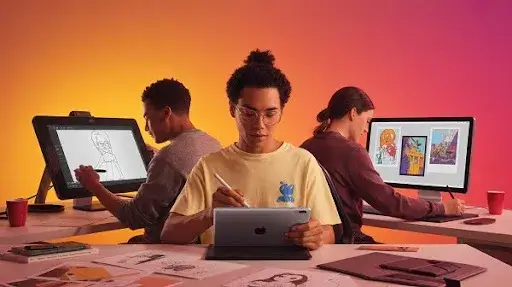
Whether you work in 2D or 3D animation, a reliable drawing tablet is one of the most important tools in your creative workflow. These devices act as the digital foundation for everything you draw, sketch, animate, or design. From storyboarding ideas to crafting polished scenes, a good tablet helps artists work faster, smoother, and with far more precision.
If you are just getting started in digital animation or thinking about upgrading the device you already have, choosing the right tablet can be a challenge. You may wonder which model is best for drawing backgrounds, illustrating characters, or creating detailed storyboards. The truth is that not every tablet is designed with animators in mind, and selecting the wrong one can slow down your workflow.
As an artist and someone familiar with professional 3d animation services, I know firsthand how much the right hardware impacts creativity. A well-chosen tablet helps you focus on your art instead of fighting with unresponsive screens or limited features.
Today’s market is full of outstanding options from trusted names like Wacom, Huion, XP-Pen, and Xencelabs. With more brands joining the competition, prices have become more affordable without sacrificing performance. Even if you’re on a budget, you can find an animation-friendly tablet that delivers professional-level results.
Still, with so many choices, the selection process can feel overwhelming. That’s exactly why Prolific Studio has created this updated 2025 guide to help you understand what makes a great drawing tablet and which models truly stand out this year. We’ve compared specifications, performance, pen technology, screen quality, and workflow compatibility to help you confidently choose the right device for your needs.
[elementor-template id=”13845″]
Animation Software Compatibility
Before choosing a tablet, it’s essential to ensure that it works seamlessly with the software you use. The good news is that most modern animation tablets support the major programs used in both 2D and 3D animation.
Popular 2D Animation Software
- Adobe Animate CC
- Toon Boom Harmony
- Moho Pro
- Synfig Studio
- TVPaint
- Pencil2D
Leading 3D Animation Software
- Autodesk Maya
- 3ds Max
- Cinema 4D
- Blender
Whether you’re sketching characters or building models for professional 3d animation services, these tablets integrate well with the leading Windows and macOS applications used by animators around the world.
Why Choosing the Right Tablet Matters
A high-quality tablet enhances your workflow by offering:
- Faster sketching and animation
- Better pressure sensitivity for natural strokes
- Accurate pen tracking
- Smooth rendering of fine details
- Improved comfort during long working sessions
With a professional drawing tablet, you can build characters, environments, and animation scenes that match the quality expected in studios like Prolific Studio.
Whether you’re creating 2D storyboards or developing assets for 3D scenes, the right tool makes your creative process enjoyable and efficient.
Should You Use a Graphic Tablet for Animation
Many new animators wonder whether a drawing tablet is truly necessary. The simple answer is that a tablet can greatly improve the experience, but it isn’t an absolute requirement for every animation style. Plenty of artists create impressive work using only a mouse, and for some digital workflows, the difference in productivity is minimal.
However, certain types of animation become dramatically easier and more intuitive when using a pen tablet, especially for artists who work with hand-drawn elements, detailed textures, or precise strokes. At Prolific Studio, we often recommend tablets to animators who want smoother control and a more natural drawing experience, but the need depends entirely on your workflow and artistic approach.
When a Tablet Becomes Essential
A tablet becomes almost indispensable if your animation style involves any of the following techniques:
Traditional Frame by Frame 2D Animation
If you draw every frame by hand without relying on digital rigs or automated tweens, a mouse will feel restrictive. Freehand sketching, rough character poses, and fluid line work are extremely difficult to achieve without a stylus.
3D Sculpting in Software Like Blender or ZBrush
For sculpting, shaping models, and adding tiny details, a stylus offers pressure sensitivity and precision that a mouse simply cannot replicate. This is especially true for studios offering 3d animation services, where detailed sculpting contributes to more expressive characters and realistic environments.
Highly Artistic or Traditional Workflows
If your creative process depends on natural hand movements, expressive strokes, or a hand-drawn aesthetic, a tablet aligns much better with how artists naturally work.
Outside of these situations, using a tablet is more about comfort, efficiency, and personal preference. Some animators thrive with a mouse, while others cannot imagine working without a stylus.
How a Drawing Tablet Enhances the Animation Workflow
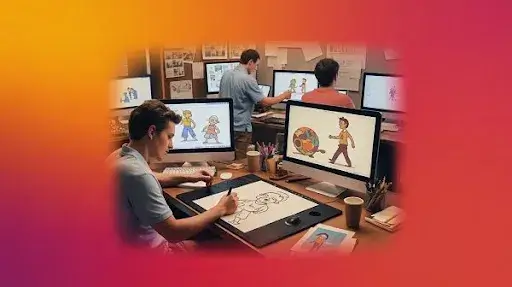
A graphic tablet doesn’t just change how you draw, it transforms the overall creative process. Here are the major advantages:
1. More Natural and Fluid Drawing Experience
Sketching with a stylus feels similar to working with traditional art tools. The movement is smooth, responsive, and intuitive, allowing artists to focus on creativity rather than the limitations of a mouse. Clean linework, expressive strokes, and fine detailing become much easier.
2. Pressure Sensitivity for Creative Control
A stylus can detect how hard or soft you press, giving you control over line weight, opacity, and texture. This adds depth and variation to digital drawings in a way that imitates real-world pencils, pens, and brushes.
3. Reduced Physical Strain
Working long hours with a mouse can cause hand and wrist fatigue. A lightweight stylus offers better ergonomics and reduces strain, allowing animators to work comfortably for longer sessions without losing focus or flow.
4. Speed and Efficiency for VFX and Complex Tasks
Techniques like rotoscoping, masking, and frame-by-frame cleanup can be far more time-consuming with a mouse. A tablet makes these processes smoother and less tedious. For VFX artists, the ability to trace and refine shapes accurately saves hours of work.
5. Customizable Buttons and Shortcut Keys
Many tablets include programmable buttons called ExpressKeys, along with pen-side shortcuts. These features let you trigger common commands without reaching for the keyboard. This streamlines the workflow, reduces interruptions, and keeps your focus on the creative aspect of the project.
Why Tablets Benefit Animators in Professional Settings
Animation studios, including Prolific Studio, often rely on tablets because they support a faster, more flexible production pipeline. When working on complex scenes, character animations, or high-quality visuals for 3d animation services, precision is critical. Tablets make it easier to adjust details, experiment with designs, and maintain fluidity in movement and expression.
A drawing tablet can be the difference between a stiff animation and one that feels alive. Even if you work primarily in 3D, the tasks of sculpting, texture painting, concept sketching, and storyboard creation feel far more natural with a stylus.
The 12 Best Drawing Tablets for Animation in 2025
Finding the perfect drawing tablet can completely transform your animation workflow. Whether you create digital art for fun, work professionally, or hope to break into the world of animation or 3d animation services, choosing the right device matters. After testing and reviewing many options, I’ve put together a list of the best drawing tablets for animation in 2025. Each recommendation is selected to deliver great performance, reliability, and a smooth creative experience. No matter your budget, skill level, or preferred style, there’s a tablet here for you.
From affordable screenless tablets ideal for beginners to premium pen displays and powerful standalone devices, this guide will help you confidently pick the right tool. And if you’re someone who works with a studio like Prolific Studio or dreams of animating for brands, starting with the right hardware makes your journey much more enjoyable.
3 Affordable Non Screen Tablets Ideal for Beginners
If you’re new to animation, a screenless graphics tablet is an excellent and budget-friendly choice. Models like the XPPen Deco or Wacom Intuos allow you to learn essential hand movements and build foundational drawing skills without spending too much. These tablets plug directly into your computer, and you draw on the active surface while viewing the strokes on your monitor.
It takes a little time to adjust since your hand and eyes work separately, but beginners often benefit from this early practice. Before investing in advanced gear, it’s wise to start small. Not everyone ends up loving animation and buying an expensive pen display too soon can lead to wasted money. Once you know animation is truly your passion, then you can proudly step up to better tools and software that support your creative growth.
1. Wacom Intuos Pro
The Wacom Intuos Pro 2025 remains one of the best high-end tablets available on the market. Known for its precision and durability, it comes in multiple sizes to suit different workflows. This tablet is equipped with ten customizable shortcut keys and two control dials that help you instantly access tools, commands, and zoom functions while animating.
The included Pro Pen 3 is battery free and delivers an incredibly smooth drawing experience. With natural tilt recognition and almost zero lag, it feels remarkably similar to sketching on real paper. This level of accuracy helps improve productivity, especially when working on detailed animation frames.
You can connect the Intuos Pro through USB or switch to Bluetooth for a wireless setup. Having the freedom to work without cables makes a noticeable difference in maintaining a clean and organized desk environment. While the tablet is on the expensive side, the investment is justified for professional animators and creators. Its strong build, advanced features, and outstanding responsiveness make it a reliable companion for long hours of work, whether you’re animating characters or creating assets for 3d animation services.
2. XPPen Deco Pro Gen 2
The XPPen Deco Pro Gen 2 brings a modern design, excellent pen performance, and three size options, making it a strong competitor to the Wacom Intuos Pro. Its active area is spacious enough for large and detailed animations, while the paper like texture adds a sense of realism to each stroke.
The X3 Pro Pencil is one of the tablet’s highlights. With 16,000 levels of pressure sensitivity, low initial activation force, and tilt support up to 60 degrees, the pen gives you exceptional control when animating or painting. Compared to earlier models, the pen feels even smoother and more natural to hold.
Although the tablet itself has no physical shortcut keys, XPPen includes the ACK05 wireless remote that offers a dial and ten buttons for quick access to your tools. This remote makes up for the lack of built in hotkeys and provides great flexibility while animating.
You can connect the Deco Pro Gen 2 using Bluetooth or a USB C cable. Wireless mode is stable and convenient for people who like a minimalist workspace. The overall design, solid build quality, improved pen technology, and useful remote control clearly show the care XPPen put into this updated model. It’s an excellent option for animators who need advanced features without stretching their budget.
3. Huion Inspiroy Frego M
For new artists stepping into the world of animation, the Huion Inspiroy Frego Medium is one of the best entry level tablets you can choose. It’s simple, reliable, and affordable, giving beginners a comfortable way to improve their drawing or animation skills.
With a clean, minimalist design, the Frego has a generous 10 by 6.25 inch working area, which provides plenty of space for sketching, outlining, and frame by frame animation. The tablet does not include shortcuts, but its large drawing surface compensates by allowing smooth, uninterrupted strokes.
Huion’s PenTech 4.0 technology enhances the pen by offering great sensitivity and extremely low activation force. The tilt support allows more natural control, making shading and angle based strokes feel effortless. During testing, the pen responded accurately with no noticeable lag, and drawing small details felt smooth and consistent.
The tablet supports Bluetooth for wireless use, and the connection is quick and stable. With a powerful 1,300 mAh battery, the Frego offers up to 24 hours of continuous use, making it excellent for long creative sessions. Its performance, portability, and affordability make this tablet a standout beginner friendly choice.
6 Best Animation Tablets With Screens for Professionals
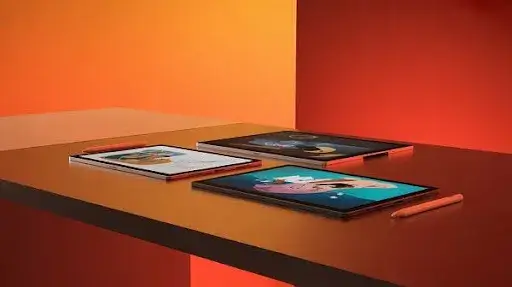
For professional animators, illustrators, and digital artists, working on a display drawing tablet provides an immersive and intuitive experience. Whether you create frame by frame animations or produce complex visuals for 3d animation services, tablets with built in screens deliver accuracy, comfort, and efficiency. Industry leaders like Wacom, Huion, and XPPen offer top tier pen displays that meet the demands of modern animation studios including teams at Prolific Studio.
While these tablets are powerful, it’s important to note that most pen displays are not standalone devices. They require a laptop or PC to function, which reduces portability compared to independent drawing tablets. Still, for professionals who prioritize precision and workflow speed, these tools remain essential.
Below are six of the best animation tablets with screens for professionals, each offering its own advantages for digital artists and animators.
4. Huion Kamvas 16 Gen 3
The Huion Kamvas 16 Gen 3 is one of the most budget friendly yet high performing display tablets available today. It delivers quality without inflating the price, making it an excellent option for students, aspiring artists, and professionals who want reliability without overspending.
Its 15.8 inch 2.5K QHD display comes with an etched glass surface that minimizes glare and offers a more natural drawing texture. Thanks to full lamination, the pen tip and cursor appear aligned, eliminating parallax and helping animators maintain accuracy.
Color reproduction is impressive for its price range, supporting 16.7 million colors, 90 percent Adobe RGB, and 120 percent sRGB. This ensures that your illustrations and animation frames look crisp, vibrant, and true to life.
Huion’s PW600L pen incorporates PenTech 4.0 with 16,340 pressure levels, tilt recognition, and an ultra light 2g activation force. Every stroke feels smooth and controlled, making it ideal for detailed frame by frame animation.
The tablet also includes two control dials and six customizable shortcut buttons, helping artists streamline repetitive actions and maintain a steady workflow. With single USB C connectivity and a lightweight build, the Kamvas 16 Gen 3 is perfect for animators on the move.
5. XPPen Artist 15.6 Pro V2
The XPPen Artist 15.6 Pro V2 is a versatile display drawing tablet suited for both beginners and seasoned professionals. Its 15.4 inch Full HD screen produces a sharp, vivid visual experience with 99 percent sRGB, 96 percent Adobe RGB, and 96 percent DCI P3 coverage.
The fully laminated IPS panel minimizes reflections, improves viewing angles, and creates the impression of drawing directly on the screen. The matte anti glare protector adds grip and reduces eye strain, which is important for long animation sessions.
The X3 Pro Stylus offers 16K pressure levels, 3g activation force, and responsive tilt functionality. It captures even the smallest movements and variations, allowing animators to produce smooth, organic lines effortlessly.
Like the Huion model, this tablet connects through a single USB C cable, reducing clutter and making setup quick and convenient. One standout feature is the red multifunction dial, which makes zooming, rotating, and scaling animations feel incredibly natural.
The Artist 15.6 Pro V2 provides excellent performance at a reasonable price, creating a perfect balance between functionality and affordability. Whether you’re animating characters or working on complex scenes for 3d animation services, this tablet delivers consistent results.
6. Wacom Cintiq Pro 22
The Wacom Cintiq Pro 22 sits at the top end of professional animation tools. Known for its exceptional build quality, spacious screen, and high accuracy, it’s a favorite among studio level animators and digital artists including teams working on advanced projects at Prolific Studio.
Its 22 inch 4K UHD display reveals every tiny detail, making it ideal for animators who need clarity during intricate sequences. The color performance is equally impressive with 96 percent Adobe RGB and over a billion colors, ensuring realistic, accurate visuals.
A 120Hz refresh rate provides fluid motion, which is crucial when reviewing fast paced animation frames. The Pro Pen 3 offers 8192 pressure levels, tilt support, 1g activation force, and virtually zero lag. Together, these features create a natural, pen on paper drawing feel.
The fully laminated screen with etched glass significantly reduces parallax and reflections. Wacom’s ergonomic improvements, including the slimmer bezel and compact footprint, make long animation sessions more comfortable.
You also get 11 programmable buttons between the pen and tablet, letting artists assign custom shortcuts that speed up workflow.
Although the Cintiq Pro 22 is one of the more expensive choices and not ideal for beginners, it remains a premium investment for professional animators who want world class performance.
7. XPPen Artist Pro 22 Gen 2
The XPPen Artist Pro 22 Gen 2 offers professional quality at a more accessible price than the Cintiq Pro 22, while still delivering a high caliber drawing experience.
Its large 22 inch IPS display features a 2.5K QHD resolution with 99 percent Adobe RGB coverage. The expansive screen real estate makes multitasking and complex animation workflows much easier.
The fully laminated Nano Etched Glass surface enhances comfort and accuracy while reducing glare. Paired with the X3 Pro Smart Chip Pen, drawing feels exceptionally smooth and precise, almost like sketching with real graphite on paper.
With an adjustable stand, HDMI and USB C connectivity, and broad compatibility across workstations, this model is built for flexibility. The included ACK05 wireless ExpressKey Remote brings 10 customizable buttons and a tactile dial to optimize your workflow.
Considering its size, features, and price bracket, the Artist Pro 22 Gen 2 is one of the most appealing choices for professionals who want a studio quality experience without overspending.
8. XPPen Artist Pro 24 4K
The XPPen Artist Pro 24 Gen 2 is an impressive upgrade for any digital artist or animator looking for a professional-level display tablet. Its 23.8 inch IPS screen offers exceptional clarity with true 4K UHD resolution, 99 percent Adobe RGB accuracy, and over a billion colors. This ensures every detail is represented precisely, which is essential for creatives working on highly detailed scenes or producing content for 3d animation services at studios like Prolific Studio.
The X3 Pro stylus is another standout feature. With 16,384 pressure levels and a responsive 60 degree tilt function, it feels incredibly natural for sketching, shading, or working on intricate animation frames. The etched, fully laminated glass surface provides a satisfying grip and significantly reduces parallax, making the drawing experience feel intuitive and closely connected to the screen.
Performance is smooth and lag free, allowing animators to focus entirely on their workflow. The tablet also features multiple connectivity options, including USB C, HDMI, and DisplayPort, making it versatile across a wide range of setups. Its compatibility with multi monitor arrangements makes it ideal for professionals producing motion graphics, 2D or 3D animation, or explanatory videos that require extended screen real estate.
XPPen clearly designed this model with serious creatives in mind, and it shows in both build quality and functionality. It’s an excellent choice for artists working across 2D and 3D pipelines who need a device that keeps up with demanding production environments.
9. Huion Kamvas Pro 27
Testing the Huion Kamvas Pro 27 left a strong impression, especially because of its expansive 27 inch display. The large working area makes a huge difference when handling complex scenes or sculpting in 3D space, and the 4K UHD resolution delivers crisp visuals with vibrant, accurate colors. This level of clarity is perfect for animators who require precision when producing high quality assets, especially those working with professional studios like Prolific Studio.
The fully laminated screen paired with anti glare etched glass offers excellent visibility in different lighting conditions. Parallax is almost nonexistent, which helps create a more immersive drawing experience. The upgraded PenTech 4.0 stylus is fast, accurate, and extremely comfortable to use, making it a reliable tool for long animation or illustration sessions. Every stroke feels intentional and detailed, which is vital when working on high resolution textures or advanced 3D projects tied to 3d animation services.
Huion also includes a sturdy 20 degree metal stand for support, ensuring stability even during intensive work sessions. The addition of a wireless mini keydial with 18 programmable shortcut keys and a multifunctional dial significantly boosts workflow efficiency. You can assign frequently used commands, making the entire creative process faster and smoother.
For artists with ample desk space and a generous budget, the Kamvas Pro 27 is an outstanding choice. Its combination of screen size, accuracy, comfort, and workflow enhancing tools makes it ideal for 3D animators, digital painters, and any professional who relies heavily on visual precision.
3 Standalone Animation Tablets That Don’t Require a Computer
Standalone drawing tablets have become a popular choice among artists who prefer lightweight, portable devices they can use anywhere. These tablets allow creators to sketch, animate, and illustrate during commutes, in cafés, or while traveling. Their mobility makes them convenient, but it is important to understand their limitations, especially when it comes to professional animation and 3D workflows.
Even though these portable tablets offer freedom and flexibility, traditional drawing tablets or full computer setups still provide better support for complex 2D and 3D animation. Many advanced industry tools for animation are built for Windows or macOS, which limits the software options available on iPadOS or Android devices. While standalone tablets can handle graphic design and basic animation, most mobile apps are simplified compared to professional software.
If you are considering a device for 3D animation, modeling, or heavy processing tasks, it is best to avoid most standalone tablets. They are simply not as powerful as dedicated laptops or desktops. However, they can be excellent companions for sketching, 2D animation, and early concept work. As a studio specializing in 3d animation services, Prolific Studio recommends choosing based on your workflow, goals, and software needs.
Below are three strong standalone tablet options ideal for artists and light animators.
10. iPad Pro 2024
The iPad Pro 2024 remains one of the most polished and performance oriented mobile tablets for digital artists. Although it comes with a premium price tag, its hardware and display quality make it a top choice for those who value precision and portability.
Available in 11 inch and 13 inch versions, the iPad Pro features the Ultra Retina XDR Tandem OLED screen with 120Hz ProMotion and rich 2.7K resolution. Colors appear extremely vibrant, and the level of clarity enhances sketching, digital painting, and 2D animation.
Paired with the Apple Pencil Pro, drawing feels smooth, responsive, and natural. Its pressure sensitivity and angle detection allow animators to create clean lines and expressive strokes with ease. The Pencil also attaches magnetically to the tablet and charges wirelessly, ensuring it is always ready when inspiration strikes.
Powered by the impressive M4 chip, the iPad Pro handles everything from detailed illustrations to advanced 2D animation without hesitation. While there are fewer animation apps available on iPadOS compared to desktop platforms, several high quality tools exist, including Procreate Dreams, Animation Desk, and other popular 2D creative apps.
Battery life lasts all day, making this tablet ideal for long drawing or animation sessions. For portability, processing power, 2D animation workflow, and even light 3D asset creation, the iPad Pro 2024 stands out as a reliable option.
11. Microsoft Surface Pro 11 (2024)
The Surface Pro 11 is a powerful hybrid device that brings together the convenience of a tablet and the functionality of a full Windows laptop. For artists and animators who need access to professional desktop software, this tablet offers a major advantage.
Its 13 inch OLED touchscreen with 2.8K resolution and a 120Hz refresh rate delivers impressive clarity and color richness. Whether you’re creating animatics, hand drawn motion frames, or concept art, the display enhances every visual detail.
When paired with the Slim Pen 2, the Surface Pro delivers precise and responsive drawing performance. With 4096 levels of pressure, tilt support, and exceptionally low latency, the stylus helps artists achieve fine detail and accurate line work.
Since this device runs Windows 11, it supports full professional animation software such as Toon Boom Harmony, Blender, Adobe Animate, Krita, and various production tools used by studios like Prolific Studio for high level 3d animation services. Powered by the fast Snapdragon X Plus processor, the Surface Pro 11 offers enough strength to handle both 2D and light 3D tasks.
Battery life averages around 10 hours, providing solid longevity for animation and design work. Its built in kickstand also ensures comfortable drawing angles and easy workspace adjustment.
For creators who need tablet flexibility with full software compatibility, the Surface Pro 11 is an excellent choice.
12. Samsung Galaxy Tab S10 Ultra
The Samsung Galaxy Tab S10 Ultra stands out as one of the most powerful Android tablets available, offering a blend of performance, screen size, and creative capability that appeals to digital artists.
Its massive 14.6 inch Super AMOLED display delivers bold colors, crisp visuals, and an immersive canvas perfect for drawing and animation. The included S Pen provides smooth, natural drawing with 4096 pressure levels, tilt functionality, and extremely low latency. For 2D animation, motion graphics, and storyboarding, the experience feels intuitive and fluid.
Running Android OS, the Galaxy Tab S10 Ultra supports several drawing and animation apps such as Clip Studio Paint, Krita, FlipaClip, Animation Desk, Stop Motion Studio, and other creative tools suitable for mobile workflows.
Its MediaTek Dimensity 9300 Plus processor and 12GB RAM ensure fast performance even when multitasking or working in more demanding apps. One advantage this tablet has over the iPad Pro is its microSD card slot, which allows artists to expand storage for apps, projects, and media files.
The long lasting battery life helps creators work for extended periods, and its 45W fast charging capability means less downtime during tight deadlines.
While still not a replacement for a desktop workstation, the S10 Ultra is a strong standalone tool for 2D animation, sketching, and concept development.
How to Choose the Right Drawing Tablet for Animation
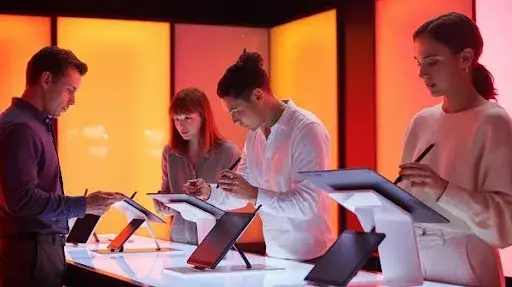
Selecting the perfect drawing tablet can dramatically improve your animation workflow. Whether you are a beginner or a professional animator, the right device helps you work faster, draw more accurately, and stay comfortable during long sessions. Below are the key factors you should consider before investing in a drawing tablet. These tips are especially useful for artists working in modern pipelines, including those involved in 3d animation services at Prolific Studio.
1. Screen Tablet or Non Screen Tablet
One of the biggest decisions you will make is whether you want a tablet with a built-in screen or a traditional pen tablet without a display.
A screen tablet, often called a pen display, allows you to draw directly on the screen. This creates a more natural and intuitive experience, especially for animation where you constantly work with layers, onion skinning, and frame by frame adjustments. Seeing your drawings directly beneath your stylus helps you stay precise while sketching key frames or refining in betweens.
Non screen tablets require you to look at your monitor while drawing on the tablet surface. While this takes practice, they are lighter, more portable, and far more budget friendly. They are excellent starter options but may slow you down in intense animation work.
For animators who need accuracy and speed, screen tablets usually offer a real advantage. Many professionals at Prolific Studio use screen-based devices for both 2D and 3D animation pipelines.
2. Tablet Size Matters
If you choose a non-screen tablet, look carefully at the size of the active area. This is the surface that responds to your pen strokes.
A larger active area gives you more freedom of movement and better control over detailed work. Smaller tablets are portable and affordable but may require constant zooming and panning which can interrupt your flow.
For animation, a larger surface generally improves efficiency. You get more room for sweeping motions, arcs, and line adjustments that are essential in frame by frame animation.
3. Screen Quality and Display Size
If you prefer a screen tablet, focus on the display’s resolution and color accuracy. A high-quality screen helps you view your animation layers clearly and monitor your colors with confidence.
Look for IPS or OLED panels with strong color reproduction and high pixel density. These screens make your lines appear sharper and your character designs more precise.
As for size, anything above 19 inches offers a comfortable workspace. Smaller sizes can work too but may begin to feel cramped over time, especially during long animation sessions.
4. Pressure Sensitivity and Tilt Support
The realism and fluidity of your strokes depend heavily on pressure sensitivity and tilt recognition. These features help control line thickness, opacity, and shading styles, allowing you to draw with a natural feel.
Most tablets today offer at least 4096 pressure levels, but higher end models go beyond 16000 levels for incredibly detailed stroke control. Tilt recognition is an added feature that enhances brush behavior and makes your drawings feel more organic.
For animators creating expressive lines or characters, these features are extremely valuable.
5. Buttons and Shortcut Controls
Shortcut buttons may seem like a small detail, but they can dramatically speed up your work. Programmable buttons on the tablet or the pen let you quickly access tools like undo, zoom, rotate, or brush size adjustments.
Some tablets also include wheels or sliders that allow even smoother workflow control. Animators often rely on repetitive actions and having shortcuts at your fingertips helps increase speed and reduce fatigue.
6. Compatibility and Connectivity
Before buying, make sure the tablet works seamlessly with your operating system and your animation software. Check for supported drivers, updates, and stability with programs like Toon Boom Harmony, Adobe Animate, Blender, or any tools used in 3d animation services.
Connectivity is equally important. Ensure the tablet has the right ports or cables for your computer setup. Some modern tablets use USB C while others rely on HDMI or multiple connectors.
A smooth technical setup means less frustration and more time animating.
7. Choosing the Right Brand for Animation
When it comes to reliability, Wacom has been the long standing favorite for professional animators. Their tablets deliver consistent performance, excellent pen technology, and long lifespan. If you want a top level device for serious animation work, Wacom is often the first recommendation.
For animators who want quality without spending too much, brands like Huion and XPPen offer impressive and budget friendly options. Many beginners and intermediate artists find these tablets perfect for learning and growing their skills.
At Prolific Studio, where artists work across both 2D and 3D animation services, a mix of high end and mid range tablets are used depending on project needs.
Final Thoughts
Selecting the perfect tablet for drawing and animation is essential for artists and animators looking to fully unleash their creative potential. The right device can transform your ideas into stunning animations, character designs, and illustrations with ease.
At Prolific Studio, we understand that every artist has unique needs. That’s why we’ve highlighted 12 of the best animation tablets, each offering distinct features and advantages to suit different artistic styles, workflows, and budgets.
When choosing a tablet, pay attention to key factors such as screen size, display quality, stylus precision, compatibility with software, connectivity options, and overall value for your investment. By carefully comparing these aspects and understanding how they align with your workflow, you can select a tablet that not only meets your current needs but also grows with your creative journey.
Avoid cutting corners, especially if you’re serious about animation. Investing in a high-quality tablet ensures that you can continue creating effortlessly and efficiently for years to come. With the right tools, Prolific Studio believes every artist can elevate their craft and bring their imagination to life.